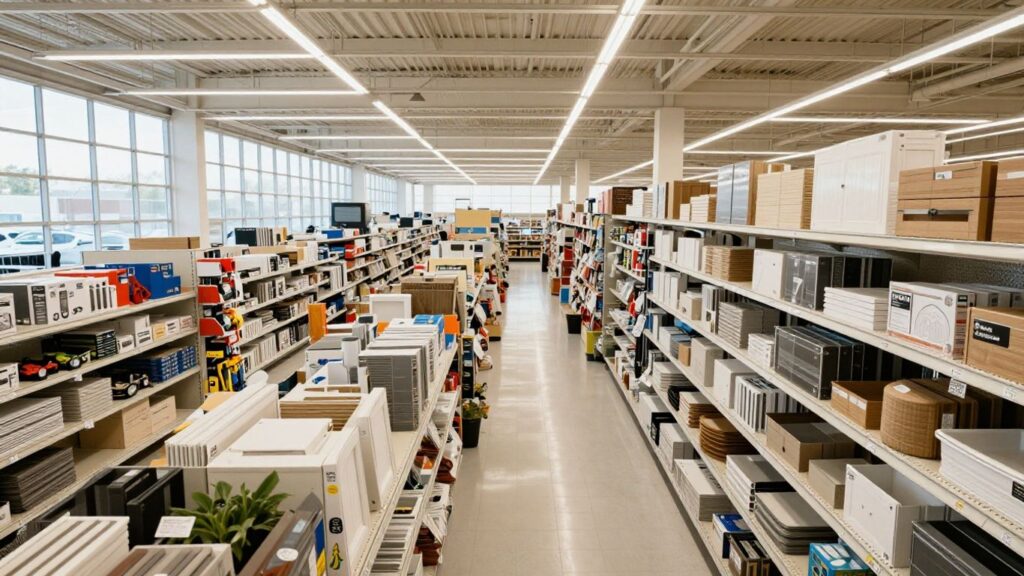

How to Get the Most Out of Home Depot Customer Service: Tips and Resources for 2026
Shopping at Home Depot can be a lot easier when you know how to use their customer service to your advantage. Whether you’re a weekend DIYer or a pro contractor, there are a bunch of new tools and resources that can make your experience smoother. By 2026, Home Depot customer service is using more tech, offering better support for professionals, and making online shopping more user-friendly. Here’s what you need to know to get the most out of your next Home Depot visit or order.
Key Takeaways
- Home Depot customer service is using smarter tech, like AI chat and digital platforms, to answer questions faster and help with orders.
- Professional customers can get help from outside sales reps, custom solutions, and new digital tools to keep projects running smoothly.
- First-time and returning shoppers get more personalized help through welcome emails, profiling questions, and special offers during busy seasons.
- Online shopping is easier with better site navigation, faster deliveries, and new ways to fix order problems quickly.
- Store associates are better trained and more engaged, which means friendlier, more helpful service for everyone.
Enhancing Home Depot Customer Service with Technology
Utilizing AI-Powered Support Tools
Home Depot has made big moves to bring AI front and center for both shoppers and associates. The AI-driven Magic Apron tool, for example, now answers customer questions online much like a seasoned staff member would in the aisle. With this tool, customers type—or even speak—their questions, and AI responds in real time, whether they’re looking for product info, recommendations, or troubleshooting help. These features aren’t stuck behind annoying menus or scripted responses: instead, customers get fluid, human-like answers. On the associate side, access to knowledge bases through generative AI helps staff find what they need instantly, making it easier for them to help customers quickly, too.
- Instant product recommendations and support online
- Conversational AI for SMS, chat, and phone calls
- Knowledge-sharing platforms improving staff expertise
These tools don’t just speed up customer interactions—they also let associates spend more time helping folks in person instead of hunting for answers.
Streamlining Service with Automated Platforms
Automation is reshaping the way customers get service at Home Depot. The company uses platforms where you can self-serve: start an online return, check if an item is in stock, or schedule order pickups—all without waiting for a representative. With automated order management systems rolling out, pro customers notice faster, more reliable deliveries. The automation also flags and prevents errors before they nag the customer, like mismatched items or missing delivery details. So, mistakes don’t snowball and cause frustrations later.
Key improvements thanks to automated support:
- Quicker resolution of common service requests
- Fewer errors in orders and delivery scheduling
- Greater convenience through 24/7 online tools
Improving the In-Store Experience Through Digital Integration
When you walk into a Home Depot in 2026, you’ll notice digital check-in kiosks, app-connected shopping lists, and smart price displays. These aren’t just for show—they help customers find products faster and check out more smoothly. If you’re a regular shopper or a pro, your preferences can be loaded onto the app and even personalized on the in-store devices, making it easier to track down those hard-to-find items. Digital signage also keeps people informed about current sales, in-stock status, and special events.
| In-Store Digital Feature | Customer Benefit |
|---|---|
| App-based wayfinding | Quick aisle location |
| Smart digital shelf labels | Live price updates |
| Kiosk check-in for pickups | Faster service |
All these tech upgrades actually make a difference in the day-to-day. For shoppers, it just feels smoother—and for associates, it frees up time so they can focus on the bigger problems or just share a tip on that next DIY project.
Maximizing Support for Professional Customers
Supporting professional customers—like contractors, builders, and property managers—is key at Home Depot. These customers often need more than just products on shelves; they want expert help, tailored solutions, and streamlined project management. Home Depot has been focused on making sure their pros have everything they need to get the job done on time and within budget.
Leveraging Outside Sales Representatives for Project Efficiency
Outside Sales Representatives (OSRs) act as dedicated partners for pros. They’re not just there to take orders—they help with project planning, manage logistics, and anticipate issues before they cause delays. Here’s what this partnership usually looks like:
- Personalized support: OSRs get to know your business, your projects, and even your preferred brands.
- On-site solutions: They visit job sites to check on deliveries, resolve challenges, and keep the schedule running smoothly.
- Ongoing communication: OSRs stay in touch regularly, so if a glitch pops up, you can reach out directly instead of waiting on hold.
- Quicker problem-solving: No need to repeat your story every time, since your OSR is already up to speed on your needs and projects.
Building a consistent relationship with one sales rep means faster answers and less downtime—it’s like having a project manager, just for your Home Depot orders.
Custom Solutions for Contractors and Business Clients
Home Depot adapts to each business client’s unique needs. Larger accounts can get:
- Project-based pricing: Get quotes tailored to big orders, keeping budgets predictable.
- Product sourcing: If you can’t find a specialty item, OSRs and account reps will track it down or suggest smart alternatives.
- Delivery scheduling: Choose delivery times that fit your site’s workflow to avoid idle crews and wasted trips.
Home Depot also works with businesses to find credit and payment solutions, making large-scale projects easier to manage financially.
Contractor Support Features Table
| Feature | Benefit |
|---|---|
| Dedicated OSR | More personal service |
| Bulk pricing & discounts | Lower total costs |
| Material takeoff/quotes | Faster estimates |
| Job site delivery scheduling | Fewer delays |
Utilizing Pro Digital Tools and Features
Home Depot’s digital tools for pros continue to improve too. In 2026, these pros have more ways to manage projects from anywhere:
- Materials list builder: Upload project details or even just voice notes. The system suggests every needed item—including those you might have missed.
- Mobile account management: Track spending, view orders, and request quotes directly from your phone.
- AI-powered delivery tracking: Get real-time updates on driver location, predicted arrival time, and even warnings about possible site-access issues.
These tech upgrades save time and help pros focus on building—not chasing paperwork or tracking orders themselves.
If you run a business or manage sites, consider registering as a Pro Xtra member to access these resources and get tailored help right when you need it.
Personalizing the Customer Journey at Home Depot

Tailored Welcome Experiences for New Shoppers
The first impression is important, especially when someone is new to Home Depot. Home Depot puts a lot of focus on making fresh shoppers feel at home right away. When a customer makes a first-time online purchase, they enter an automated flow that sends them helpful introductions and lets them know about store values, exclusive brands, and financing options. The initial emails are more than just a thank you—they explain how to get the most out of all the Home Depot services, both in-store and online. Customers find it useful to receive clear details like catalog highlights and available deals right away, instead of having to look for them.
Progressive Profiling for Better Assistance
With progressive profiling, Home Depot gradually learns important details about each customer—like their favorite type of home project, preferred department, or whether they’re all about DIY or hiring out. The goal isn’t to ask for too much too soon. Instead, little by little, the system collects info during different parts of the shopping journey:
- After account creation, it might ask your favorite project type (bathroom, garden, etc.).
- Later, it could ask about your preferred brands or budget range.
- During checkout or follow-up, it may ask what brought you to the store that day.
This approach helps Home Depot suggest products and content that actually matter to the shopper, leading to better satisfaction and more repeat visits. If a shopper gets busy and doesn’t answer, no pressure—the questions come up casually and never slow down the process.
Engagement Strategies During Peak Shopping Seasons
Peak seasons—think summer remodels, Black Friday, or other big sales—are a chance for both savings and chaos if not managed well. Home Depot prepares for these rushes by:
- Sending personalized deals and practical info ahead of the busy days
- Curating daily emails that reflect trends for that specific time
- Offering targeted promotions based on store location and purchase history
During these events, personalized content makes a huge difference. Customers reported much more engagement with tailored promotions compared to generic mass-mailings.
| Metric | Improvement |
|---|---|
| Personalized content engagement | 8x higher than generic content |
| Conversion rate during promotional period | +5% |
| Peak season retail search ranking | Top 6 specialty retailer |
Sometimes, a well-placed recommendation or a coupon tailored to your recent activity is all it takes to make you feel like more than just another customer in a big box store.
Personalization isn’t just a buzzword—it helps Home Depot meet every shopper where they are, whether it’s their first visit or their hundredth, much like how store locator tools make shopping at Lowe’s convenient for everyone. The ability to customize communication and offers leads not only to increased sales, but also to real loyalty and better long-term relationships with customers.
Optimizing Online Shopping and Delivery Experiences
Shopping online at Home Depot today is nothing like it was a few years ago. Technology is making things faster, easier to understand, and a lot less stressful when you need something delivered. Here’s how you can make the most of the digital side of Home Depot by using a few new tricks and tools.
Seamless E-Commerce Navigation
Getting around Home Depot’s website is all about speed and clarity. The search bar is smarter, pulling up exactly what you want—even if you’re not sure how to spell it. Filters narrow things down by aisle, price, or availability. You always know which products are in stock, down to your local store. If you create an account, the site saves your preferences, past orders, and even your preferred shopping list for next time. That way, you’re not starting from scratch every single visit.
- Use saved lists to quickly reorder common items
- Track in-store availability before heading out
- Set your preferred store for real-time stock updates
If you ever get lost in the options, just turn on the chat support—it will guide you to exactly what you’re looking for, no matter how oddly you describe it.
Faster and Predictive Delivery Services
Delivery has stepped up a lot. Home Depot uses data and local partners to speed up shipping. The website now predicts when you’ll need refills or replacements and can remind you ahead of time. Same- or next-day delivery is routine, and you can select quick curbside pickup if you’re in a rush. If your zip code qualifies, express delivery even brings your order in under two hours.
Here’s a simple comparison of delivery services as of early 2026:
| Service Type | Typical Delivery Time | Availability |
|---|---|---|
| Standard Delivery | 2-5 days | Nationwide |
| Next-Day Delivery | 24 hours | Most cities |
| Express (Under 2 hrs) | 2 hours | Select zones |
| Curbside Pickup | 1 hour | Most stores |
- Check calendar slots for the quickest options
- Receive push alerts for delivery status
- Arrange for contactless hand-off if preferred
Resolving Online Order Issues Effectively
When things go wrong—late shipment, missing part, or incorrect item—a quick fix matters. Home Depot now offers several ways to get problems sorted without hassle:
- Chat robots can instantly answer questions about order status or returns
- Real-time support lines connect you to a human if the bot can’t help
- Return labels and instructions get sent to your email automatically, sometimes before you even hang up
Patience goes a long way if you hit a snag, since most issues are fixed faster than you’d expect.
- Keep your order number handy when contacting support
- Save photo proof for damaged or missing items
- Use your account dashboard to make returns or exchanges faster
Even if you’re not a computer whiz, Home Depot’s self-service tools and support make online shopping much less intimidating in 2026.
Empowering Associates for Exceptional Customer Service

Great customer service at Home Depot starts with associates. When employees feel confident and knowledgeable, they’re more likely to help shoppers find exactly what they need, whether that’s the right paint color or the best drill bit. Let’s look at the ways Home Depot works to set up associates for success.
Comprehensive Training and Knowledge Sharing
Having the right information is a big part of helping customers. Home Depot puts a strong focus on hands-on learning and access to local product tips. Training isn’t just a one-time event; it’s something associates get regularly so they’re up-to-date on new tools and materials.
- Associates attend regular workshops, both in-person and online, to stay updated on new inventory.
- Access to digital resources and AI-powered tools helps them answer tough customer questions.
- Localized Guides ensure staff understand weather, trends, and products specific to their store’s location.
New staff often mention how helpful it is to shadow experienced associates and use interactive digital guides. It makes getting started a little less overwhelming and builds confidence fast.
Employee Engagement and Retention Initiatives
Employee happiness really impacts customer experience. Home Depot puts in the effort to hold onto great team members, knowing it means shoppers see familiar, knowledgeable faces every time they visit.
- Competitive pay and benefits encourage long-term employment.
- Opportunities for advancement keep employees motivated to learn and grow.
- Employee recognition programs, like "Apron Awards," celebrate great service.
Turnover and Retention Table 2024–2026
| Year | Turnover Rate | Average Employee Tenure (years) |
|---|---|---|
| 2024 | 34% | 3.1 |
| 2025 | 29% | 3.5 |
| 2026 | 25% | 4.0 |
Role of Associates in Customer Satisfaction
Associates are the face of Home Depot. They guide, make recommendations, and help solve problems. Their input is a big part of how Home Depot tweaks its services and products to better fit customer needs.
- Associates use in-store tech to instantly check inventory and help customers plan projects.
- Team members collect feedback directly from shoppers, which is shared with management for improvements.
- Employees are recognized and encouraged to share their own ideas for better service—this can be anything from a new process for restocking to how they greet customers at the door.
When associates feel prepared and supported, their confidence shines through. That’s what makes the Home Depot shopping experience stand out.
Leveraging Customer Feedback for Continuous Improvement
Feedback gives Home Depot a clearer picture of what works and what doesn’t. Honest comments, both good and bad, help the store spot issues, adjust systems, and track progress over time. Home Depot uses this customer input not just to fix problems, but also to guide changes and new ideas. Here’s a look at how it happens in detail.
Collecting and Analyzing Customer Input
Reliable data starts with actually hearing from customers. Home Depot uses several easy ways to get this feedback:
- Simple surveys at checkout or after online orders
- Quick polls on the website and app
- Social media listening for comments and complaints
- In-store suggestion boxes and digital kiosks
Analysis comes next. The store collects these responses into reports and looks for trends. For example, comments about long wait times in one location might stand out, or repeated praise for a helpful associate in another store. Analysts review:
| Feedback Channel | Usage Rate | Top Topics |
|---|---|---|
| Online Survey | 40% | Delivery, product quality |
| Social Media | 30% | Promotions, store events |
| In-Store Kiosks | 15% | Staff, clean facilities |
| Suggestion Box | 15% | Pricing, stock levels |
Even small observations—like missing stock or confusing displays—add up to patterns that management can act on quickly.
Implementing Service Enhancements Based on Data
When Home Depot finds issues or popular requests, it doesn’t just record them—it actually makes changes. Here’s how feedback typically gets acted on:
- Management shares key findings with the right departments (like delivery or in-store teams).
- Small fixes, such as adjusting store signage or retraining staff on certain tools, can be applied right away.
- Larger changes, like updating the app or overhauling an inventory system, are prioritized by how often customers mention an issue.
- Home Depot measures how well these changes work by following up with customers or tracking repeat complaints.
This cycle repeats every month, using new data to keep the store’s service up to speed with what customers want.
Measuring Satisfaction With Digital Tools
Digital tools help Home Depot keep track of changing customer opinions. They use:
- Real-time dashboards to monitor positive and negative mentions
- Automated alerts if satisfaction scores drop quickly
- AI to group comments by topic and urgency
- Mobile notifications for managers if urgent changes are needed
Regularly tracking results helps ensure that improvements actually lead to happier shoppers, rather than just adding more tasks for employees. This way, the focus stays on what matters most: shoppers coming in, feeling listened to, and walking away satisfied.
Listening to your customers helps you grow and get better all the time. When you use their feedback, you can spot problems, fix them, and find ways to make your services even stronger. If you want to see how we put your ideas into action, come visit our website and see what’s new!
Conclusion
Getting the most out of Home Depot’s customer service in 2026 really comes down to knowing what’s available and not being afraid to ask for help. Whether you’re a pro contractor or just trying to fix something around the house, there are a lot of tools and resources you can use—both in-store and online. Associates are trained to answer questions, and the new tech features like AI chat and faster delivery options make things easier than ever. If you run into a problem, reaching out through chat, phone, or even social media can get you quick answers. And don’t forget about the personalized emails and project guides—they’re actually pretty helpful. At the end of the day, Home Depot wants you to have a good experience, so take advantage of what they offer. It might take a little patience sometimes, but with the right approach, you can get what you need and maybe even learn something new along the way.
Frequently Asked Questions
How does Home Depot use technology to help customers?
Home Depot uses smart tools like AI chatbots and digital platforms to answer questions quickly and help customers find what they need. In stores, digital screens and apps help shoppers get more information and make shopping easier.
What special services does Home Depot offer for professional contractors?
Home Depot has Outside Sales Representatives who work closely with pros to help with big projects, fast deliveries, and custom orders. There are also digital tools that help contractors plan jobs and order materials faster.
How does Home Depot make shopping personal for new customers?
When someone shops online for the first time, Home Depot sends a welcome message and helpful tips. They ask about your hobbies and favorite projects so they can share ideas and deals that fit your interests.
Can I get help if I have a problem with an online order?
Yes. Home Depot has a customer service team ready to help with any online order problems. You can reach them by chat, phone, or email, and they’ll work to fix issues like missing items or delivery delays.
How are Home Depot employees trained to help customers?
Home Depot gives employees lots of training, both in person and online. They learn about products, projects, and how to use digital tools, so they can answer questions and help customers better.
How does Home Depot use customer feedback to improve service?
Home Depot asks customers for feedback through surveys and online reviews. They use this information to make changes, fix problems, and keep making the shopping experience better for everyone.